Map
See the site by discovery area.
Free WordPress plugin · VDL Search Visibility Scanner
Check sitemap, robots.txt, noindex and canonical signals in your WordPress admin. See what needs attention before changing your site.
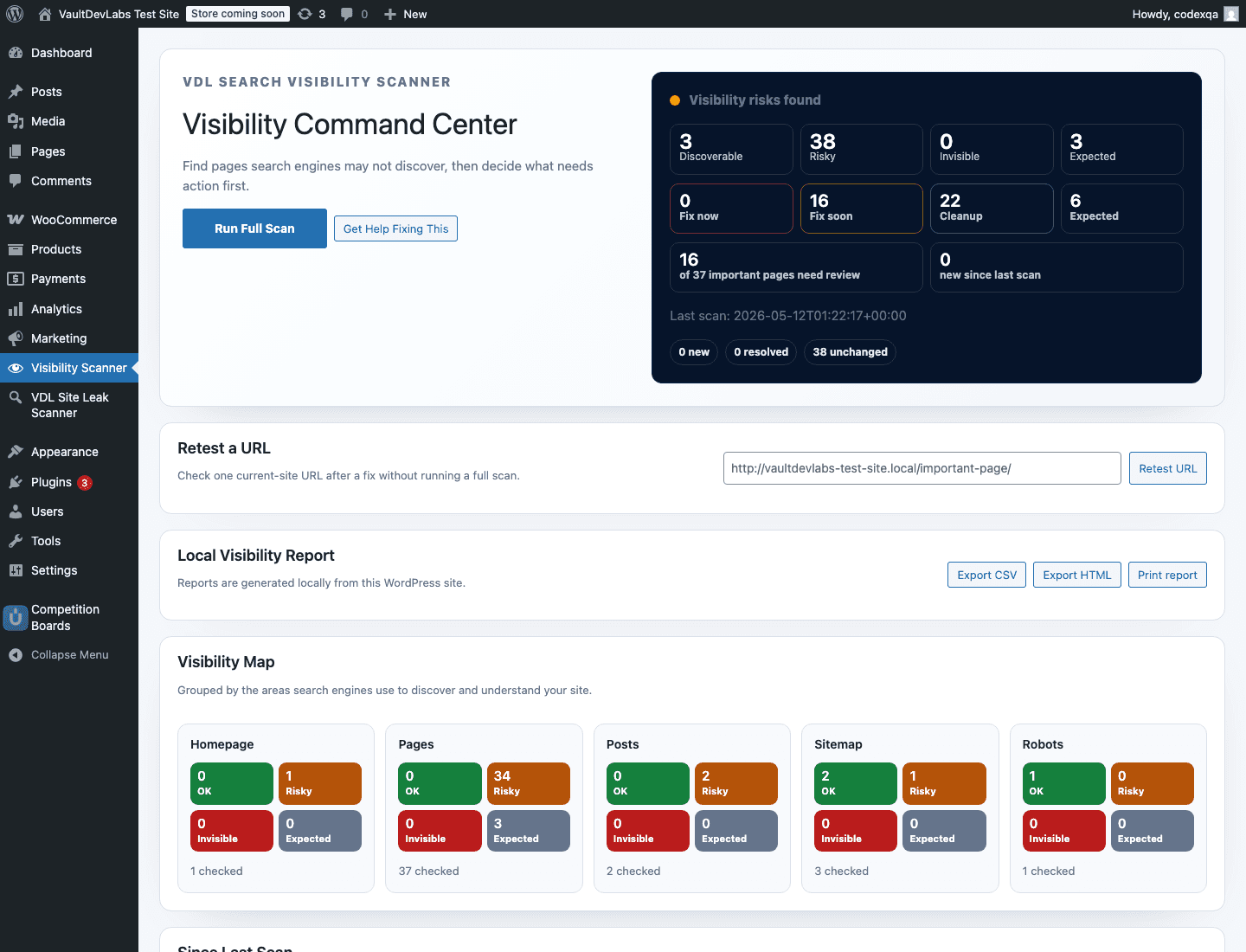
Grouped status for homepage, pages, posts, sitemap, and robots.txt signals.
Separates real visibility blockers from moderate risks, cleanup, and expected exclusions.
Highlights pages commonly important for search visibility without alarming on utility pages.
Shows HTTP, robots, noindex, canonical, and sitemap signals in one compact strip.
CSV and HTML reports generated from the current WordPress site.
The scanner focuses on technical visibility signals, not rankings, keyword tracking, backlink data, or AI-generated SEO content.
See the site by discovery area.
Fix now, fix soon, cleanup, expected.
Focus likely important pages first.
Follow the visibility journey.
Share CSV or HTML reports.
V1 runs in WordPress admin, checks the current site only, and does not require accounts, cloud scanning, telemetry, Search Console, or IndexNow submission.
100% local scan
No cloud account
No hidden telemetry
Manual scan only
The free scanner stays useful on its own. If the findings need expert confirmation or cleanup, VaultDevLabs can review and fix the technical issues.
Request a fix quoteA focused review of scan findings, priority pages, and likely visibility blockers.
Done-for-you cleanup for sitemap, robots, canonical, noindex, and discovery issues where appropriate.
Broader WordPress technical visibility cleanup when the scanner points to site-wide issues.
Related visibility checks
The scanner is the first pass. These guides explain the common WordPress sitemap, canonical, and Search Console states that usually need manual review before broad SEO settings are changed.
Use this guide when Search Console shows discovered, crawled, excluded, duplicate, noindex, or alternate canonical states.
Read guideCheck why important public URLs are not appearing in XML sitemaps or submitted discovery paths.
Read guideReview canonical signals before changing SEO plugin settings or template logic across the site.
Read guideShort answers for the visibility scanner, WordPress.org listing, and optional VaultDevLabs review path.
No. It checks technical discovery and visibility signals. It does not guarantee indexing, rankings, traffic, or search engine behavior.
No, not for scanning. The scanner runs locally against the current WordPress site. The help link is an optional administrator-clicked link.
It checks discovery signals search engines commonly use, including sitemap, robots.txt, noindex, canonical, and HTTP status signals.
The plugin scan is free. VaultDevLabs review and fix services are optional.